
 Русский
 English
 Українська
 Deutsch
 Español
 Português
 Türkçe
 中文
中文
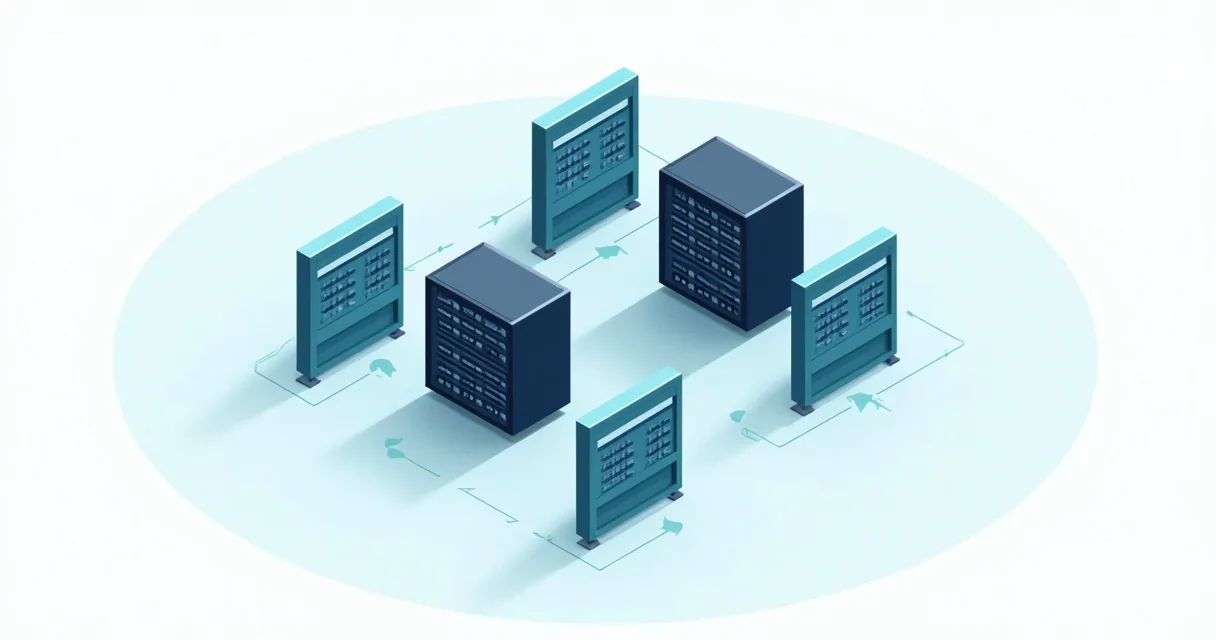
Firefly та сучасні фреймворки для автоматизації покладаються на інтеграцію proxy, щоб обходити антибот-механізми, керувати лімітами запитів (rate limits) та отримувати доступ до контенту з географічними обмеженнями під час масштабного збору даних. Маршрутизуючи запити через різноманітний пул residential або datacenter IP, таких як ті, що надає GProxy, ці системи можуть імітувати органічну поведінку користувачів і підтримувати високі показники успішності в складних веб-середовищах.
Розуміння Firefly в екосистемі автоматизації
Firefly — це спеціалізований фреймворк для автоматизації, розроблений для розподіленого виконання завдань і високонавантаженого веб-скрапінгу. На відміну від стандартних бібліотек, які зосереджені виключно на маніпуляціях з DOM, Firefly робить акцент на оркестрації декількох «воркерів» (workers), які можуть виконувати скрипти на різних вузлах мережі. Така архітектура робить підтримку proxy фундаментальною вимогою, а не додатковою функцією.
У типовому розгортанні Firefly система керує парком headless-браузерів. Без надійної стратегії використання proxy цільовий сервер швидко ідентифікує сотні запитів, що надходять з однієї IP-адреси, що призведе до негайного потрапляння в чорний список або появи CAPTCHA. Інтеграція residential мережі GProxy дозволяє воркерам Firefly ротувати IP для кожної сесії, роблячи автоматизований трафік невідрізним від справжніх домашніх користувачів, розташованих у конкретних регіонах.
Ключові особливості Firefly, які виграють від інтеграції proxy, включають:
- Розподілене планування завдань: Призначення конкретних proxy-вузлів для певних географічних завдань.
- Персистентність сесій: Використання «sticky» (липких) proxy-сесій для підтримки стабільної IP-адреси в багатоетапних робочих процесах, таких як створення облікових записів або процеси оформлення замовлення.
- Гнучкість протоколів: Підтримка протоколів HTTP, HTTPS та SOCKS5 для обробки різних типів веб-трафіку та рівнів шифрування.

Найкращі системи автоматизації з нативною підтримкою proxy
Хоча Firefly набирає популярності для розподілених завдань, кілька інших галузевих стандартів автоматизації пропонують складні механізми роботи з proxy. Вибір правильного інструменту залежить від складності цільового сайту та необхідного масштабу операції.
1. Playwright
Розроблений Microsoft, Playwright став пріоритетним вибором для багатьох розробників завдяки своїй швидкості та нативній підтримці сучасних веб-функцій. Playwright дозволяє налаштовувати proxy на рівні контексту браузера, що означає можливість запуску декількох ізольованих сесій з різними IP в межах одного екземпляра браузера.
2. Selenium
Як ветеран у цій сфері, Selenium підтримує proxy через об'єкти «Capabilities» або «Options». Хоча він повільніший за Playwright, його розгалужена екосистема та підтримка мов (Java, Python, C#, Ruby) роблять його універсальним вибором для автоматизації корпоративного рівня, де задіяні застарілі системи.
3. Puppeteer
Puppeteer — це бібліотека Node.js, яка надає високорівневий API для керування Chrome або Chromium. Він обробляє proxy через аргументи запуску. Він особливо ефективний для рендерингу сторінок з великою кількістю JavaScript та створення скріншотів або PDF-файлів під маскою residential IP від GProxy.
4. Scrapy
Для чистого витягування даних без витрат ресурсів на повний інтерфейс браузера, Scrapy є золотим стандартом. Він керує proxy через middleware, дозволяючи автоматизувати ротацію та повторні спроби, якщо певний IP виходить з ладу або стикається з блокуванням.
Порівняння реалізації proxy у різних фреймворках
Наступна таблиця підсумовує, як різні системи автоматизації обробляють інтеграцію proxy, та їхні основні переваги у виробничому середовищі.
| Фреймворк | Метод конфігурації proxy | Найкращий сценарій використання | Рівень продуктивності |
|---|---|---|---|
| Firefly | Налаштування на рівні воркера / Змінні оточення | Розподілений, масштабний скрапінг | Дуже високий |
| Playwright | Контекст браузера / Опції запуску | Складні SPA та сучасні веб-додатки | Високий |
| Selenium | Proxy Capabilities / Опції WebDriver | Кросбраузерне тестування та застарілі додатки | Помірний |
| Scrapy | Middleware / Налаштування середовища | Масштабний дата-майнінг (HTML/API) | Екстремальний (без GUI) |
Технічна реалізація: інтеграція proxy на Python
Щоб ефективно використовувати GProxy з цими системами, необхідно розуміти синтаксис автентифікації та ротації. Більшість високоякісних proxy-сервісів вимагають логін і пароль, які мають бути вбудовані в рядок підключення або передані як заголовок.
Реалізація proxy в Playwright
Playwright дозволяє легко налаштувати proxy з автентифікацією. Ось практичний приклад запуску екземпляра браузера з використанням residential точки доступу GProxy:
from playwright.sync_api import sync_playwright

def run_automation():
    with sync_playwright() as p:
        # Замініть на ваші облікові дані та ендпоінт GProxy
        proxy_settings = {
            "server": "http://geo.gproxy.com:8000",
            "username": "your_username",
            "password": "your_password"
        }

        browser = p.chromium.launch(proxy=proxy_settings, headless=True)
        page = browser.new_page()

        try:
            page.goto("https://api.ipify.org?format=json")
            print(f"Поточний IP: {page.content()}")
        except Exception as e:
            print(f"Помилка: {e}")

        browser.close()

run_automation()
Налаштування Scrapy для автоматичної ротації
У Scrapy зазвичай використовується HttpProxyMiddleware. Для масштабування ви можете створити власний middleware, який бере дані з ротаційного пулу GProxy для кожного запиту.
# settings.py
DOWNLOADER_MIDDLEWARES = {
    'scrapy.downloadermiddlewares.httpproxy.HttpProxyMiddleware': 400,
    'myproject.middlewares.GProxyMiddleware': 410,
}

# middlewares.py
import base64

class GProxyMiddleware:
    def process_request(self, request, spider):
        proxy_url = "http://geo.gproxy.com:8000"
        user_pass = "username:password"
        encoded_user_pass = base64.b64encode(user_pass.encode()).decode()

        request.meta['proxy'] = proxy_url
        request.headers['Proxy-Authorization'] = 'Basic ' + encoded_user_pass
Просунуті стратегії для успішної автоматизації
Простого підключення до proxy часто недостатньо для цілей з високим рівнем безпеки. Просунута автоматизація вимагає багатошарового підходу до управління ідентифікацією.
1. Управління відбитками браузера (Browser Fingerprints)
Веб-сайти дивляться не лише на ваш IP; вони аналізують відбиток вашого браузера, включаючи рендеринг Canvas, константи WebGL, списки шрифтів та роздільну здатність екрана. При використанні Firefly або Playwright важливо рандомізувати ці параметри. Використання proxy від GProxy забезпечує основу, але бібліотеки на кшталт playwright-stealth допомагають приховати той факт, що браузером керує скрипт.
2. Обробка помилок автентифікації proxy 407
Поширеною перешкодою в автоматизації є помилка 407 (Proxy Authentication Required). Зазвичай це трапляється, якщо облікові дані відформатовані неправильно або IP не додано до білого списку в панелі керування GProxy. Завжди переконуйтеся, що ваш скрипт автоматизації містить логіку повторних спроб спеціально для помилок 407 та 502, щоб підтримувати працездатність під час тимчасових проблем з мережею.
3. Sticky Sessions проти ротації на кожен запит
Для скрапінгу каталогу товарів ідеально підходить ротація на кожен запит, оскільки вона розподіляє навантаження між тисячами IP. Однак для таких завдань, як додавання товарів у кошик або навігація по панелі користувача, необхідно використовувати «sticky sessions». Це досягається шляхом додавання ID сесії до рядка імені користувача GProxy (наприклад, user-country-us-session-12345), що гарантує проходження всіх запитів протягом певного часу через один і той самий вихідний вузол.
Основні висновки
Автоматизація веб-взаємодій у великих масштабах вимагає глибокого розуміння як програмного фреймворку, так і мережевої інфраструктури. Поєднуючи потужні інструменти, такі як Firefly або Playwright, з високоякісними proxy-сервісами, ви можете створювати стійкі системи, здатні обходити навіть найскладніші антибот-захисти.
- Підбирайте інструмент під завдання: Використовуйте Scrapy для великих обсягів даних і Playwright для інтерактивних веб-сайтів з великою кількістю JavaScript.
- Надавайте пріоритет Residential Proxy: Для автоматизації residential IP від GProxy пропонують набагато вищі показники довіри (trust scores), ніж datacenter IP, що значно зменшує частоту появи CAPTCHA.
- Впроваджуйте стелс-методи: Завжди поєднуйте ваші proxy з підміною відбитків (fingerprint spoofing), щоб ваша автоматизація залишалася непоміченою.
Практичні поради:
- Моніторте показники успішності: Відстежуйте співвідношення відповідей 200 OK до 403 Forbidden. Якщо кількість 403 зростає, ротуйте рядки user-agent та змініть націлювання GProxy на інший регіон.
- Використовуйте Headless-режим з розумом: Хоча headless-режим економить ресурси, деякі сайти легко його виявляють. Час від часу тестуйте свої скрипти в «headful» режимі, щоб побачити, чи змінюється поведінка.
- Встановлюйте реалістичні затримки: Навіть з proxy надсилання 100 запитів на секунду до одного домену може виглядати підозріло. Впроваджуйте випадкові затримки за Гауссом між діями, щоб імітувати людський темп.
Читайте також

Проксі для A-Parser: Налаштування парсингу пошукових систем

Проксі для Xrumer: які вибрати та як налаштувати

Проксі для Key Collector: налаштування та ротація

Binom Tracker: Налаштування проксі для арбітражу трафіку

VKDog Pro: Автопостинг та граббінг контенту ВК
