Русский
 English
 Українська
 Deutsch
 Español
 Português
 Türkçe
 中文
中文

Створення власної проксі-ферми (DIY) передбачає збірку спеціалізованого апаратного стека — зазвичай він складається з 4G/LTE-модемів або одноплатних комп'ютерів — та налаштування спеціального програмного забезпечення для маршрутизації трафіку через кілька мережевих інтерфейсів. Така установка забезпечує приватну інфраструктуру для масштабного веб-скрапінгу, автоматизації соціальних мереж та верифікації реклами, пропонуючи повний контроль над ротацією IP та конфіденційністю даних.
Апаратні вимоги для мобільної проксі-ферми
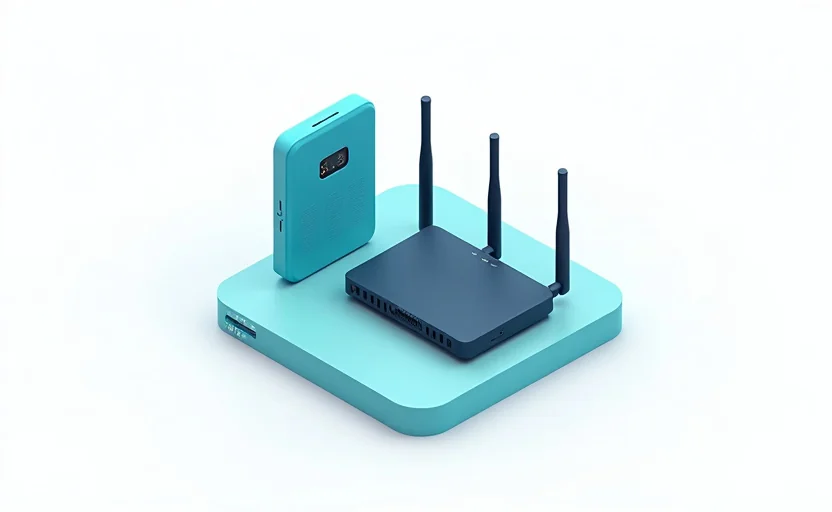
Найефективніші DIY проксі-ферми використовують мобільні мережі, оскільки 4G/LTE IP-адреси розподіляються між тисячами реальних користувачів, що робить їх дуже стійкими до блокувань (blacklisting). Щоб побудувати 20-канальну мобільну проксі-ферму, вам знадобиться певний набір апаратних компонентів, розрахованих на стабільну роботу 24/7.
- Одноплатний комп'ютер (SBC): Raspberry Pi 4 (8GB RAM) є галузевим стандартом. Він підтримує середовище Linux і ефективно керує шиною USB. Для більших ферм (50+ модемів) краще використовувати виділений сервер x86 або Intel NUC, щоб уникнути обмежень потужності процесора.
- USB 4G модеми: Huawei E3372 (зокрема версії non-HiLink для кращого контролю) або ZTE MF833V є найбільш сумісними. Ці модеми дозволяють здійснювати прямий послідовний зв'язок за допомогою AT-команд для запуску ротації IP.
- USB-хаби з активним живленням: Стандартні пасивні хаби не впораються. Кожен 4G модем може споживати від 500 мА до 1 А під час пікової передачі даних. Вам знадобляться промислові USB-хаби з живленням (наприклад, Orico або TP-Link) потужністю від 60 Вт до 100 Вт на кожні 10 модемів.
- Система охолодження: Модеми виділяють значну кількість тепла під навантаженням. Використовуйте 120-мм USB-вентилятор або стійкове рішення для охолодження, щоб запобігти термальному тротлінгу, який спричиняє розриви з'єднання.
Для тих, кому витрати на обладнання та технічне обслуговування здаються занадто високими, GProxy пропонує мобільні та резидентні проксі корпоративного рівня, які забезпечують такий самий рівень довіри та анонімності без витрат на фізичну інфраструктуру.
Операційна система та конфігурація мережі
Ubuntu Server 22.04 LTS є рекомендованою ОС завдяки розширеній підтримці драйверів для USB-модемів та мережевих стеків. Після встановлення ОС основним завданням є запобігання тому, щоб система сприймала кожен модем як шлюз за замовчуванням (default gateway), що призведе до конфліктів маршрутизації.
Вимкнення автоконфігурації модемів
Сучасні дистрибутиви Linux використовують NetworkManager, який часто намагається керувати USB-модемами автоматично. Для проксі-ферми ви повинні вимкнути це, щоб зберегти ручний контроль через конфігураційні файли або власні скрипти.
sudo systemctl stop NetworkManager
sudo systemctl disable NetworkManager
Роль usb_modeswitch
Більшість USB-модемів спочатку монтуються як віртуальний CD-ROM для встановлення драйверів. Ви повинні використовувати утиліту usb_modeswitch, щоб перевести їх у "режим модему", аби система розпізнала їх як мережеві інтерфейси (наприклад, eth1, wwan0).
| Компонент | DIY підхід | Комерційна альтернатива (GProxy) |
|---|---|---|
| Час налаштування | 10–20 годин | Миттєва активація |
| Початкова вартість | $500 - $2,000 (Обладнання) | $0 (Оплата за використання) |
| Обслуговування | Ручне виправлення апаратних/програмних помилок | Керується провайдером |
| Розмір пулу IP | Обмежений кількістю власних SIM-карт | Мільйони ротаційних IP |
Налаштування програмного забезпечення проксі-сервера
Після того, як обладнання розпізнано як мережеві інтерфейси, вам потрібен проксі-сервер для обробки вхідних запитів і їх маршрутизації через конкретні модеми. 3proxy є найлегшим і найгнучкішим інструментом для цієї мети.
Приклад конфігурації 3proxy
Створіть файл 3proxy.cfg. Ця конфігурація налаштовує два різні проксі-порти (3128 та 3129), кожен з яких прив'язаний до конкретного мережевого інтерфейсу (eth1 та eth2).
daemon
nserver 8.8.8.8
nserver 8.8.4.4
nscache 65536
timeouts 1 5 30 60 180 1800 15 60

# Аутентифікація
users "admin:CL:strongpassword123"
auth strong

# Маршрутизація порту 3128 через модем 1
external 192.168.8.100
internal 0.0.0.0
proxy -p3128

# Маршрутизація порту 3129 через модем 2
flush
external 192.168.9.100
internal 0.0.0.0
proxy -p3129
У цій схемі 192.168.8.100 та 192.168.9.100 — це статичні IP, призначені вашим USB-модемам. Тепер кожен порт на вашому Raspberry Pi діє як шлюз до іншої мобільної IP-адреси.

Автоматизація ротації IP за допомогою Python
Однією з головних переваг мобільної проксі-ферми є можливість змінювати IP-адресу за запитом шляхом перепідключення модему до стільникової мережі. Це досягається шляхом надсилання AT-команд у послідовний порт модему.
Наступний Python-скрипт демонструє, як ініціювати перепідключення для модему Huawei, що змушує провайдера призначити пристрою нову IP-адресу.
import serial
import time

def rotate_ip(port='/dev/ttyUSB0'):
    try:
        ser = serial.Serial(port, 115200, timeout=1)
        # Перевірка з'єднання
        ser.write(b'AT\r\n')
        time.sleep(1)

        # Відключення від мережі
        ser.write(b'AT^NDISDUP=1,0\r\n')
        print(f"Відключення {port}...")
        time.sleep(5)

        # Повторне підключення до мережі
        ser.write(b'AT^NDISDUP=1,1,"internet"\r\n')
        print(f"Перепідключення {port} для отримання нової IP...")
        time.sleep(10)

        ser.close()
    except Exception as e:
        print(f"Помилка: {e}")

if __name__ == "__main__":
    # Приклад: Ротація IP для першого модему
    rotate_ip('/dev/ttyUSB0')
Інтеграція цього скрипта з веб-API дозволяє змінювати IP за допомогою простого HTTP-запиту, імітуючи функції "Rotation API", які є у професійних сервісах, таких як GProxy.
Масштабування та оптимізація продуктивності
Коли ви масштабуєтеся понад 10 модемів, ви зіткнетеся з обмеженнями ядра Linux та проблемами з подачею живлення. Оптимізація системи для високої конкурентності є обов'язковою для стабільної ферми.
Налаштування ядра
Змініть /etc/sysctl.conf, щоб обробляти більшу кількість одночасних з'єднань і скоротити час очікування (time-wait states). Ці налаштування запобігають помилкам "Too many open files" або "Connection refused", поширеним при інтенсивному скрапінгу.
- net.ipv4.ip_local_port_range = 1024 65535 — Збільшує діапазон доступних портів.
- net.core.somaxconn = 1024 — Збільшує розмір черги для вхідних з'єднань.
- fs.file-max = 1000000 — Піднімає ліміт для відкритих дескрипторів файлів.
- net.ipv4.tcp_tw_reuse = 1 — Дозволяє ядру повторно використовувати сокети в стані TIME_WAIT.
Керування пропускною здатністю
Мобільні мережі є асиметричними. Хоча ви можете мати 50 Мбіт/с на завантаження, швидкість віддачі може бути обмежена 5 Мбіт/с. Якщо ви запускаєте 20 модемів на одному Raspberry Pi, пропускна здатність шини USB 2.0/3.0 може стати "вузьким місцем". Професійний спосіб масштабування — розподіл модемів між кількома SBC та їх об'єднання через гігабітний комутатор.
Безпека та віддалене керування
DIY ферма — це шлюз у вашу локальну мережу. Залишати її незахищеною — великий ризик. Ви повинні впровадити суворі правила брандмауера за допомогою iptables або nftables, щоб гарантувати, що тільки дозволені IP можуть отримати доступ до ваших проксі-портів.
Крім того, оскільки мобільні IP динамічні, вам потрібен спосіб відстежувати стан кожного модему. Впровадження простої панелі моніторингу за допомогою Prometheus та Grafana допоможе візуалізувати затримку, втрату пакетів та споживання даних для кожної SIM-карти. Це дозволить виявити несправні модеми або обмежені SIM-карти до того, як вони вплинуть на вашу роботу.
Якщо складність керування обладнанням, охолодженням, підписками на SIM-карти та налаштуванням ядра відволікає вас від основного бізнесу, GProxy забезпечує плавний перехід до керованого середовища. З GProxy ви отримуєте доступ до високошвидкісних, різноманітних пулів IP з аптаймом 99,9%, усуваючи потребу у фізичному обслуговуванні обладнання.
Основні висновки
Побудова власної проксі-ферми — це складний, але цікавий технічний проект, який пропонує неперевершений контроль над вашим цифровим слідом. Ви дізналися про основні вимоги до обладнання, конфігурацію ПЗ за допомогою 3proxy та автоматизацію ротації IP через Python-скрипти.
- Пріоритет живленню: Завжди використовуйте промислові USB-хаби з активним живленням; недостатня потужність — причина №1 нестабільності модемів.
- Контроль тепла: Активне охолодження є обов'язковим для роботи 24/7, щоб запобігти деградації заліза та розривам з'єднання.
- Гнучкість ПЗ: Використовуйте 3proxy через його низьке споживання ресурсів і можливість прив'язки конкретних портів до мережевих інтерфейсів.
- Оцінка ROI: DIY ферми вигідні для статичних довгострокових проектів, але для великих масштабів та різноманітних геолокацій професійні сервіси, такі як GProxy, пропонують кращу надійність та менші операційні витрати.
Читайте також

Інтеграція Proxy API: автоматизація для розробників

Помилка 503 та тайм-аут проксі: діагностика та виправлення

Помилка 502 Bad Gateway через проксі: як виправити

Помилка 407 Proxy Authentication Required: причини та виправлення

Проксі для Telegram-ботів: налаштування та автоматизація