Русский
 English
 Українська
 Deutsch
 Español
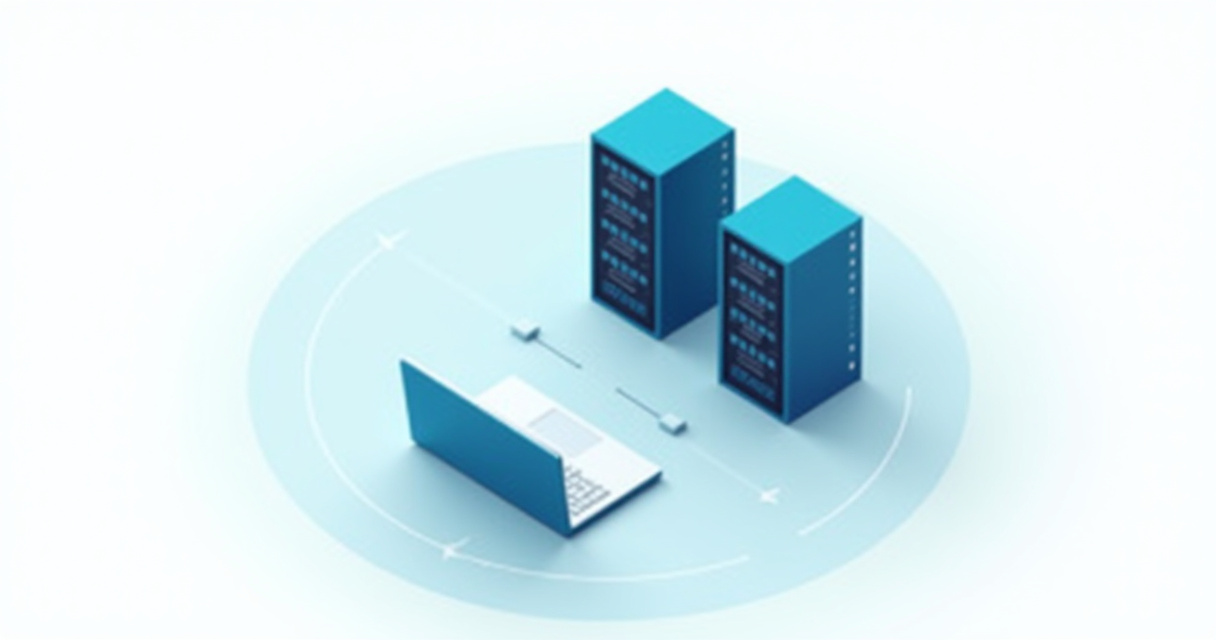
YouTube subscriber boosting through proxies and automation involves leveraging a network of diverse IP addresses to simulate organic user interactions and bypass platform restrictions, effectively creating multiple virtual users that watch videos, engage with content, and subscribe to channels without triggering YouTube's sophisticated bot detection systems. This approach allows creators to scale their growth efforts by generating a consistent stream of new subscribers from seemingly unique origins, enhancing visibility and social proof while maintaining the integrity of the automated process.
Understanding YouTube's Algorithm and Bot Detection Mechanisms
YouTube's robust algorithm is designed to identify and promote high-quality, engaging content that keeps users on the platform. Central to this is discerning genuine user activity from manipulative tactics. The system doesn't just count subscribers; it heavily weighs the quality of those subscriptions, the associated watch time, and subsequent engagement patterns. Rapid influxes of subscribers from a limited number of IP addresses, accounts with incomplete profiles, or those exhibiting non-human browsing behaviors are immediately flagged as suspicious.
The platform employs sophisticated bot detection mechanisms that go far beyond simple IP checks. These include:
- Behavioral Analysis: Detecting repetitive, predictable patterns in viewing, liking, commenting, and subscribing that deviate from typical human interaction. This includes consistent watch durations, immediate subscriptions without prior engagement, or lack of mouse movements and scrolling.
- IP Fingerprinting and Geolocation: Identifying clusters of activity originating from the same IP block or data center, especially if these IPs are known to be associated with VPNs or proxies. YouTube also monitors the geographical distribution of subscribers and viewers, flagging anomalies.
- Browser Fingerprinting: Collecting data points like User-Agent strings, installed plugins, screen resolution, WebGL renderer information, Canvas API hashes, and WebRTC leaks to create a unique "fingerprint" for each browser instance. Consistent fingerprints across multiple accounts or unusual browser configurations can indicate automation.
- Account Health and History: New accounts with no prior activity suddenly subscribing to many channels, or accounts that subscribe but never watch videos, are viewed with suspicion. Verified accounts with a history of organic engagement are given more trust.
- Rate Limiting: Imposing limits on actions (views, likes, subscriptions) from a single IP address or account within a given timeframe. Exceeding these limits triggers red flags.
For any subscriber boosting strategy to be effective and sustainable, it must meticulously mimic genuine human behavior across a diverse set of seemingly unique user profiles and IP addresses. Failure to do so results in invalidated subscribers, channel strikes, or even permanent bans, rendering the entire effort futile. This is precisely where high-quality proxies become an indispensable component.
The Indispensable Role of Proxies in YouTube Automation
At its core, YouTube's bot detection relies heavily on identifying unique users and tracking their behavior. An IP address serves as a primary identifier for a user's origin. Attempting to automate subscriber growth from a single IP address or a small pool of easily detectable IPs is a guaranteed path to failure. YouTube will quickly identify the repetitive actions, flag the IP, and disregard or even penalize the associated subscribers and channel.
Why a Single IP Fails
Imagine attempting to create 100 YouTube accounts and subscribe to your channel from your home internet connection. Each subscription request would originate from the same public IP address. YouTube's systems would immediately detect this anomaly: 100 new accounts, all from one IP, performing identical actions. This triggers rate limits, suspicious activity flags, and ultimately, the subscribers are removed, or the accounts are banned.
Types of Proxies for YouTube Automation
Effective YouTube automation demands a vast network of diverse, high-quality IP addresses that can convincingly masquerade as genuine users from various locations. Not all proxies are created equal for this task:
- Residential Proxies: These are IP addresses assigned by Internet Service Providers (ISPs) to real homes and mobile devices. They are the gold standard for YouTube automation due to their authenticity. Residential IPs are virtually indistinguishable from regular user traffic, making them highly trusted by platforms like YouTube. They offer superior anonymity and are far less likely to be flagged or blacklisted. GProxy's extensive network of residential proxies, sourced from legitimate ISPs globally, provides the ideal foundation for subscriber boosting, offering millions of rotating IPs that appear as genuine users.
- Mobile Proxies: A specialized subset of residential proxies, mobile IPs are assigned to mobile devices by cellular carriers. They offer an even higher level of trust because mobile IPs are often shared among many users in a cellular network, making it harder to track individual activities. They are excellent for highly sensitive actions but are typically more expensive and may have smaller pools than standard residential proxies.
- Datacenter Proxies: These IPs originate from commercial data centers, not residential ISPs. While fast and generally cheaper, they are easily detectable by sophisticated platforms like YouTube. Datacenter IPs are often associated with VPNs, web scraping, and bot activity, making them prone to blacklisting. They are generally unsuitable for high-trust actions like subscribing or watching videos for engagement, though they might be used for initial account creation or less sensitive data gathering if paired with advanced evasion techniques.
IP Rotation and Session Management
To simulate a multitude of unique users, dynamic IP rotation is crucial. This means assigning a different proxy IP to each automated action or each virtual user session. GProxy's residential proxy services offer flexible rotation options, from every request to sticky sessions lasting minutes or hours. For YouTube, sticky sessions are often preferred for individual accounts: one account maintains a single, consistent residential IP for a duration (e.g., an hour), mimicking a real user browsing, before rotating to a new IP for a new session or a different account.
The ability to geo-target proxies (e.g., specific countries, states, or even cities) is another significant advantage. This allows you to simulate subscribers from relevant demographics, making the growth appear more organic and targeted, especially if your content appeals to a specific regional audience.

Architecting Your Automation Framework
Building an effective YouTube automation system requires more than just proxies; it necessitates a robust framework that can control browsers, manage accounts, and mimic human behavior. Python is a popular choice for this due to its extensive libraries.
Core Automation Tools and Libraries
- Selenium: A powerful browser automation framework that allows you to control web browsers (Chrome, Firefox, Edge) programmatically. It's excellent for simulating clicks, typing, navigation, and other user interactions.
- Playwright / Puppeteer: Newer browser automation libraries (Playwright by Microsoft, Puppeteer by Google) offering faster execution, better control over browser contexts, and robust headless capabilities. They are often preferred for their modern APIs and performance advantages.
- Undetected-Chromedriver: A specialized version of Selenium's Chrome driver designed to bypass common bot detection techniques that target automated browsers. It modifies the browser's fingerprint to appear more human-like.
- Requests: For interacting with web APIs directly, if any part of your automation involves sending HTTP requests rather than full browser interaction.
Browser Fingerprinting Management
Even with high-quality proxies, a bot can be detected if its browser fingerprint is inconsistent or reveals automation. Key aspects to manage include:
- User-Agent Strings: Rotate User-Agents to simulate different operating systems, browser versions, and device types (desktop, mobile).
- Canvas / WebGL / AudioContext Spoofing: These APIs can be used to generate unique identifiers based on hardware and software. Automation scripts need to either randomize or spoof these values to avoid consistent fingerprints.
- WebRTC Leak Prevention: WebRTC can reveal your real IP address even when using a proxy. Ensure your automation framework disables WebRTC or routes all traffic through the proxy.
- Timezone and Language Settings: Match the browser's timezone and language settings to the geographical location of the proxy IP to enhance authenticity.
- Resolution and Viewport Size: Vary screen resolutions and browser window sizes to simulate different user setups.
Proxy Integration with Automation Frameworks
Integrating proxies into your automation scripts is critical. Here's a Python example using selenium-wire (a Selenium extension) for robust proxy management:
from seleniumwire import webdriver
from selenium.webdriver.chrome.service import Service
from webdriver_manager.chrome import ChromeDriverManager
import random
import time

# GProxy proxy details (replace with your actual details)
PROXY_LIST = [
    "user1:pass1@ip1:port1",
    "user2:pass2@ip2:port2",
    "user3:pass3@ip3:port3",
    # ... add more GProxy residential proxies
]

def get_random_proxy():
    return random.choice(PROXY_LIST)

def setup_driver_with_proxy(proxy_address):
    options = webdriver.ChromeOptions()
    # Disable WebRTC to prevent IP leaks
    options.add_argument("--disable-webrtc-ip-handling")
    options.add_argument("--no-sandbox")
    options.add_argument("--disable-dev-shm-usage")

    # Optional: Headless mode for performance, but can be detected
    # options.add_argument("--headless")

    # Proxy settings for selenium-wire
    seleniumwire_options = {
        'proxy': {
            'http': f'http://{proxy_address}',
            'https': f'https://{proxy_address}',
            'no_proxy': 'localhost,127.0.0.1' # Exclude internal addresses
        }
    }

    # Use undetected_chromedriver for better fingerprinting evasion
    # Requires 'pip install undetected-chromedriver'
    try:
        import undetected_chromedriver as uc
        driver = uc.Chrome(options=options, seleniumwire_options=seleniumwire_options)
    except ImportError:
        print("undetected-chromedriver not found, falling back to standard Chrome driver.")
        print("Consider installing it for better bot detection evasion: pip install undetected-chromedriver")
        service = Service(ChromeDriverManager().install())
        driver = webdriver.Chrome(service=service, options=options, seleniumwire_options=seleniumwire_options)

    # Set a random User-Agent (important for fingerprinting)
    user_agents = [
        "Mozilla/5.0 (Windows NT 10.0; Win64; x64) AppleWebKit/537.36 (KHTML, like Gecko) Chrome/100.0.4896.75 Safari/537.36",
        "Mozilla/5.0 (Macintosh; Intel Mac OS X 10_15_7) AppleWebKit/537.36 (KHTML, like Gecko) Chrome/100.0.4896.75 Safari/537.36",
        "Mozilla/5.0 (Windows NT 10.0; Win64; x64) AppleWebKit/537.36 (KHTML, like Gecko) Firefox/98.0 Safari/537.36",
        # Add more diverse User-Agents
    ]
    driver.execute_cdp_cmd('Network.setUserAgentOverride', {"userAgent": random.choice(user_agents)})

    return driver

def perform_youtube_action(driver, channel_url, video_url):
    try:
        print(f"Navigating to video: {video_url}")
        driver.get(video_url)
        time.sleep(random.uniform(10, 20)) # Simulate watching part of the video

        # Simulate human-like scrolling
        driver.execute_script("window.scrollTo(0, document.body.scrollHeight / 2);")
        time.sleep(random.uniform(2, 5))
        driver.execute_script("window.scrollTo(0, document.body.scrollHeight);")
        time.sleep(random.uniform(2, 5))

        # Attempt to find and click subscribe button (XPath might vary)
        print("Attempting to find subscribe button...")
        try:
            subscribe_button = driver.find_element("xpath", "//yt-formatted-string[text()='Subscribe']/ancestor::button")
            if subscribe_button.is_displayed() and subscribe_button.is_enabled():
                subscribe_button.click()
                print("Subscribe button clicked!")
                time.sleep(random.uniform(3, 7)) # Simulate delay after clicking
            else:
                print("Subscribe button not visible or enabled.")
        except Exception as e:
            print(f"Could not find or click subscribe button: {e}")

        # Simulate further browsing on the channel
        print(f"Navigating to channel: {channel_url}")
        driver.get(channel_url)
        time.sleep(random.uniform(5, 10))

    except Exception as e:
        print(f"An error occurred during YouTube action: {e}")
    finally:
        driver.quit()

if __name__ == "__main__":
    target_channel_url = "https://www.youtube.com/@YourChannelName" # Replace with your channel
    target_video_url = "https://www.youtube.com/watch?v=YourVideoID" # Replace with one of your videos

    for _ in range(5): # Simulate 5 subscriber actions
        proxy = get_random_proxy()
        print(f"\n--- Using Proxy: {proxy} ---")
        driver = setup_driver_with_proxy(proxy)
        perform_youtube_action(driver, target_channel_url, target_video_url)
        time.sleep(random.uniform(30, 90)) # Longer delay between different proxy sessions
This code snippet demonstrates setting up a Chrome driver with a rotating GProxy residential IP, disabling WebRTC, and attempting a basic subscription action. It's a foundational example, and real-world automation requires far more complexity to fully mimic human behavior.
Strategic Automation Techniques for Subscriber Growth
Effective YouTube subscriber boosting goes beyond simply clicking a subscribe button. It involves a multi-faceted approach to simulate genuine user engagement and organic growth patterns.
Simulating Organic User Behavior
YouTube's algorithm prioritizes engaged subscribers. Therefore, your automation must replicate a range of human actions:
- Varied Watch Time: Bots should not consistently watch 100% of a video. Implement random watch durations (e.g., 50% to 90% of a video's length), and occasional full watches. Longer watch times, especially on new videos, signal value to YouTube.
- Engagement Metrics:
- Likes/Dislikes: Incorporate random likes on videos after a certain watch duration.
- Comments: This is more complex. Use a predefined list of generic, positive comments (rotated to avoid repetition) or integrate AI-powered comment generation. Comments should be relevant to the video topic.
- Shares: Simulate sharing to hypothetical social media platforms (even if not actually sharing, the action itself can be logged by JavaScript).
- Playlist Additions: Create and add videos to playlists. This is a strong signal of engagement.
- Channel Browsing: Before subscribing, bots should browse the target channel's page, view other videos, or even watch videos from related channels. This creates a more natural user journey.
- Search and Discovery: Simulate searching for keywords related to your channel or videos, clicking on your content from search results, or discovering it through YouTube's recommendation engine.
- Delayed Subscriptions: Do not subscribe immediately upon landing on a video. Allow for significant watch time and perhaps a second video view before initiating a subscription action. This mimics a user evaluating content before committing.
Account Management and Nurturing
Each virtual subscriber needs a credible YouTube account. This involves:
- Unique Account Creation: Each account should be created with a unique email address (e.g., disposable email services or a large pool of legitimate ones) and, if possible, phone verification (using SMS verification services).
- Profile Setup: Give each account a unique profile picture, channel name, and possibly a short description. This adds to the authenticity.
- Account Warming: Newly created accounts should not immediately subscribe. They need a "warm-up" period where they browse various popular YouTube channels, watch different videos, like content, and perhaps even subscribe to a few non-target channels. This builds account history and trust before engaging with your target channel.
- Activity Diversity: Ensure these accounts perform a wide range of activities over time, not just focusing on your channel. This prevents them from being flagged as single-purpose bots.
Scalability and IP Diversity with GProxy
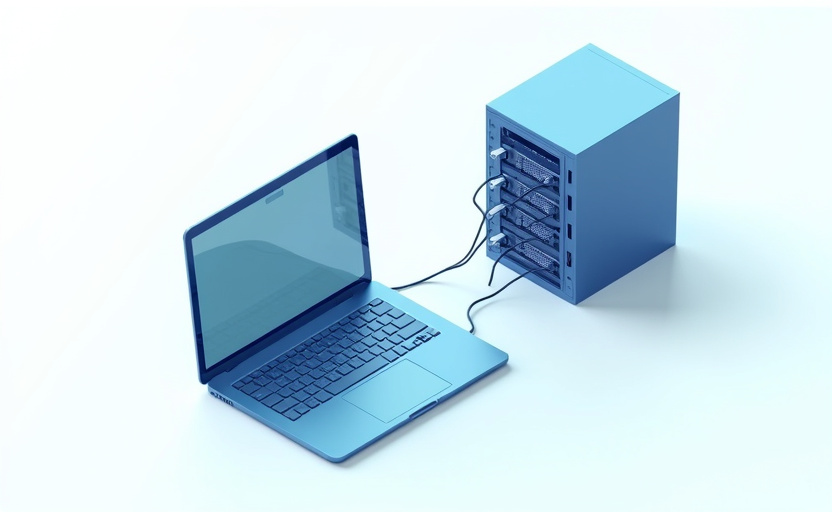
To achieve significant subscriber growth, you need to scale these operations. This means running dozens, hundreds, or even thousands of concurrent browser instances, each with its own unique YouTube account and, critically, its own fresh residential IP address provided by GProxy. GProxy's vast pool of residential IPs ensures that you have access to clean, unflagged IPs from diverse geographical locations, making each automated interaction appear genuinely unique. The ability to specify geo-locations allows for targeted growth, aligning subscriber demographics with your content's audience.
Mitigating Risks and Ensuring Longevity
While automation offers powerful growth potential, it comes with inherent risks. YouTube continuously updates its detection algorithms. A successful strategy focuses on minimizing these risks to ensure the longevity of your channel and the effectiveness of your boosting efforts.
Proxy Quality is Paramount
The foundation of risk mitigation lies in the quality of your proxies. Cheap, low-quality datacenter proxies are a liability. Invest in premium residential or mobile proxies. GProxy specializes in high-quality residential IPs that are ethically sourced and regularly audited to ensure they are clean and unflagged. This significantly reduces the chance of IP blacklisting and detection.
Advanced Detection Evasion Techniques
- Human-like Delays: Implement random, non-uniform delays between every action (clicks, scrolls, typing). Avoid fixed delays. For instance, instead of
time.sleep(5), usetime.sleep(random.uniform(3, 7)). - Mouse Movements and Scrolling: Automated tools can simulate realistic mouse movements and scrolling patterns. Libraries like
pyautoguican be integrated, though this adds complexity. Even simple JavaScript scrolling can help. - Randomized Pathways: Don't always take the same path to a video or channel. Sometimes search, sometimes click from recommendations, sometimes directly navigate.
- CAPTCHA Handling: Be prepared for CAPTCHAs. Integrate with CAPTCHA solving services (e.g., 2Captcha, Anti-Captcha) if your automation triggers them. This indicates your automation might be too aggressive.
- Headless Browser Detection: If using headless browsers (e.g., Chrome headless), ensure you use libraries like
undetected-chromedriveror specific Playwright/Puppeteer configurations that mask headless detection. - Session Stickiness: For specific accounts, use GProxy's sticky sessions. This means an account retains the same residential IP for an extended period (e.g., 10-30 minutes), mimicking a real user's browsing session, before releasing the IP and picking up a new one for the next session or account.
Gradual Growth vs. Sudden Spikes
A sudden, massive spike in subscribers over a short period is a major red flag. Aim for gradual, consistent growth. If your channel typically gains 50 subscribers a day, an automated boost of an additional 50-100 subscribers daily would be less suspicious than adding 1000 in a single day. Scale your automation slowly, increasing the number of daily actions over weeks or months.
Account Hygiene and Monitoring
- Dedicated IP for Accounts: Ideally, each active YouTube account should be associated with a unique residential IP (via sticky sessions) for its entire active lifespan to build a consistent browsing history.
- Regular Monitoring: Continuously monitor your YouTube Analytics for subscriber drops, invalidated subscribers, or warnings from YouTube. This indicates your automation strategy might need adjustment.
- Account Rotation and Retirement: Have a strategy for rotating accounts, pausing their activity, or even retiring them if they show signs of flagging.
Ethical Considerations and Long-Term Strategy
While the goal here is "boosting," it's crucial to acknowledge the broader implications. Subscriber boosting should be viewed as a tool to gain initial traction, social proof, and algorithm visibility – not a substitute for creating valuable content. The ultimate goal is to convert these initial numbers into genuinely engaged viewers who will watch your content, interact, and become long-term fans. A channel built solely on fake subscribers will eventually stagnate, as YouTube prioritizes watch time and engagement from real users. Use automation strategically to kickstart your journey, then focus intensely on content quality to retain and grow a true audience.
Comparison of Proxy Types for YouTube Automation
| Feature | Residential Proxies (e.g., GProxy) | Mobile Proxies | Datacenter Proxies |
|---|---|---|---|
| Source of IP | Real ISP users (homes, Wi-Fi) | Real mobile carrier users | Commercial data centers |
| Authenticity / Trust Level | Very High (Appear as genuine users) | Extremely High (Often shared IPs, highly trusted) | Low (Easily detectable, often flagged) |
| Cost | Medium to High | High to Very High | Low |
| Speed | Moderate (Can vary based on user connection) | Moderate (Can vary based on carrier network) | Very Fast |
| Detection Risk by YouTube | Very Low (If used correctly) | Extremely Low | Very High (Prone to blacklisting) |
| Geo-targeting Capability | Excellent (Country, State, City) | Good (Country, sometimes State) | Limited (Often by data center location) |
| IP Pool Size | Very Large (Millions of IPs with GProxy) | Medium | Large |
| Best Use Case for YouTube Automation | Subscriber actions, watch time, likes, comments, account creation, channel browsing. Ideal for most high-trust tasks. | Highly sensitive actions, phone verification, high-value account creation. | Initial scraping, less critical data gathering, if advanced evasion is used. Generally NOT recommended for direct subscriber boosting. |
Key Takeaways
Successfully boosting YouTube subscribers through automation is a sophisticated endeavor that demands meticulous planning, high-quality resources, and a deep understanding of YouTube's detection mechanisms. It is not a simple "set it and forget it" operation, but rather a continuous process of refinement and adaptation.
You learned that the core of any effective YouTube automation strategy lies in diversifying your digital footprint through proxies, meticulously mimicking human behavior, and understanding the nuances of YouTube's algorithm. High-quality residential proxies, like those offered by GProxy, are indispensable for providing the authenticity and scale required to bypass detection and ensure subscriber longevity. Combining these proxies with intelligent automation frameworks that manage browser fingerprints, simulate varied interactions, and nurture accounts is crucial for sustainable growth.
Practical Tips for Implementation:
- Invest in Premium Residential Proxies: Prioritize high-quality, ethically sourced residential proxies from providers like GProxy. Their vast pools, geo-targeting capabilities, and reliable performance are non-negotiable for avoiding detection and ensuring the validity of your automated actions.
- Develop Human-Centric Automation Scripts: Focus on simulating a wide range of human behaviors, including random delays, varied watch times, mouse movements, scrolling, and diverse engagement actions (likes, comments, channel browsing) before subscribing. Use advanced browser automation tools and techniques to manage browser fingerprints effectively.
- Prioritize Account Warming and Gradual Scaling: Never use fresh accounts for immediate mass subscriptions. Implement an account warming period with generic activity. Scale your automation gradually, increasing daily subscriber targets slowly over time to avoid suspicious spikes that trigger YouTube's algorithmic flags.
View Plans

Nox Emulator and Proxies: Effective Setup for Mobile Marketing

How to Create a New Telegram Account Using a Virtual Number
Avito Parsing: How to Collect Data Using Proxies for Business
How to Create a Steam Account Anonymously Using Proxies

Auto-Registration of VK Accounts Using Proxies and Specialized Software